CONSTRUCTION TIME TRACKING
& FIELD MANAGEMENT SOFTWARE
Streamline your operations. Maximize your profitability. The all-in-one app for Labor, Equipment, Materials, and Field Reporting.



Proven Reliability. Built for the Field.
Built for the demands of every construction trade. View Industry-Specific Solutions →
Our Core Solutions
Empowering your business with precise control and real-time insights.
Labor Management
- Accurate capture of hours & job codes.
- Simplify payroll & reduce errors.
- Real-time labor cost visibility.
Equipment Management
- Track location, usage & engine hours.
- Schedule preventative maintenance.
- Improve asset utilization & ROI.
Materials Management
- Track materials from purchase to install.
- Minimize over-ordering and waste.
- Improve project budgeting.
Field Reporting
- Capture critical field data instantly.
- Generate daily logs for safety.
- Enhance communication across teams.
See mJob in Action
Features
Construction Timeclock App
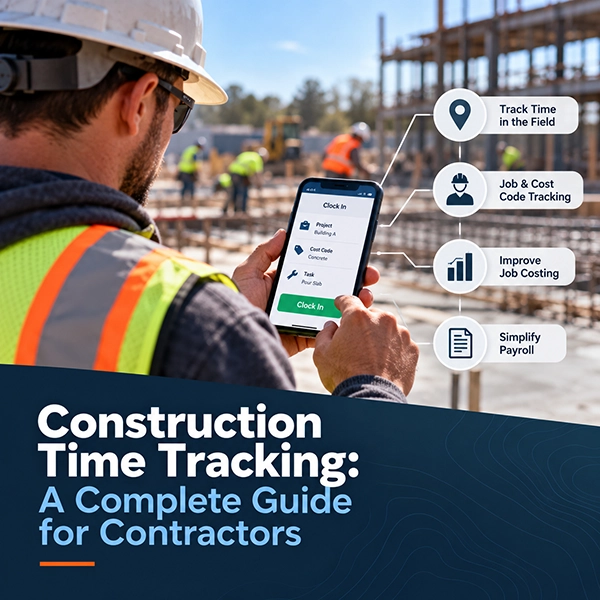
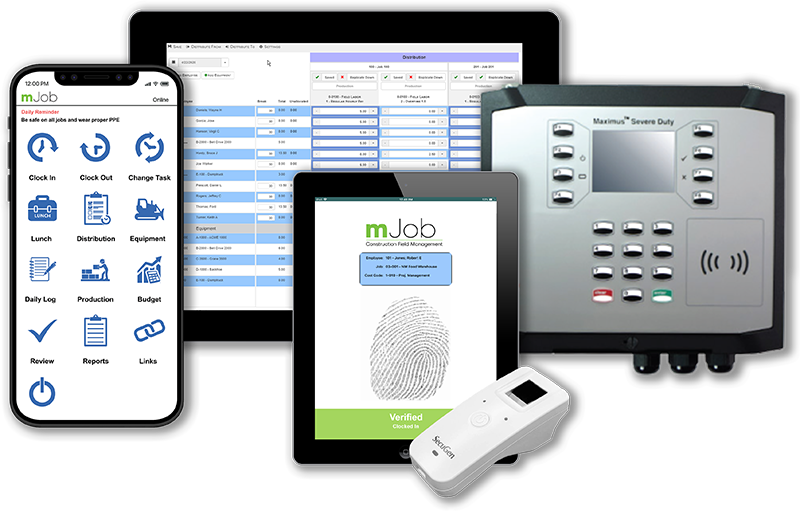
Empower your workforce with a GPS-enabled time clock app to log hours and field time directly from the jobsite.
Timeclocks/Biometrics
Our mobile biometric time tracking software allows employees to clock in via a fingerprint scan.
Geofencing
Create virtual boundaries around specific job sites to ensure employees are accurately tracked on location.
Bill & Pay Rate Management
Simplify complex pay and bill rates, especially when dealing with multiple vendor contracts and unions.
Time Automation Rules
Streamline overtime, breaks, and compliance rules automatically to reduce errors and manual entry.
Labor Law Compliance
We understand the complexities of labor law compliance and are committed to helping you navigate them.
Equipment Tracking
Efficient equipment management is crucial for any business that relies on machinery and tools.
Operating Cost Insights
Gain visibility into equipment operating costs to improve asset utilization and investment decisions.
Maintenance Logs
Maximize the lifespan and efficiency of your equipment with mJob’s Equipment Maintenance Logging.
Material Usage
Effectively manage and track the usage of materials across your projects to reduce waste.
Field Requisitions
Allow field teams to request materials instantly to keep projects moving without delays.
Material Purchase Orders
Create purchase order transactions directly from the field to streamline procurement.
Daily Logs
Revolutionize daily job reporting by making it fully digital, organized, and searchable.
Custom Forms
Streamline the process of capturing safety, inspection, and field data with custom digital forms.
Analytics
Systematically collect, analyze, and monitor data to enhance project outcomes and profitability.
Document Management
Share plans, specs, and safety docs instantly with the field to enhance collaboration.
Realtime Notifications
Stay updated on critical events and ensure smooth project management with instant alerts.
Cost Tracking
Precise and efficient management of project expenses to keep your budget on track.
Seamless ERP & Payroll Integrations
mJob works with the tools you already use, providing 100% verifiable data directly to your accounting system. These are just some of the partners we integrate with; visit our integrations page to see more.